Novakrift Classic v1.2.0
(Shopify Online Store 2.0)
Audience: Shopify Merchants & Frontend Developers
Status: 100% Tested & Verified
Last Verified: October 31, 2026
High-Conversion Urgency & Fulfillment Tools
Novakrift incorporates conversion-rate optimization (CRO) mechanics designed to communicate exclusivity and streamline fulfillment without looking spammy or aggressive.
1. Live Inventory Scarcity Indicator
A dynamic indicator badge that automatically recalculates whenever the customer switches product sizes or colors:
- In Stock: Calm neutral pill indicating ready-to-ship availability.
- Low Stock Urgency: Pulsating gold pill indicating scarcity (e.g. Only 2 pieces remaining in this size).
- Available on Backorder: Displayed when Shopify inventory policy is set to "Continue selling when out of stock".
- Currently Sold Out: Elegant struck-through state with automated restock waitlist notification support.
Customizer Setup:
- Under Product information, select the Inventory status block.
- Set the Low inventory threshold (recommended:
3or5units).
2. Smart Product Free Shipping Goal Bar
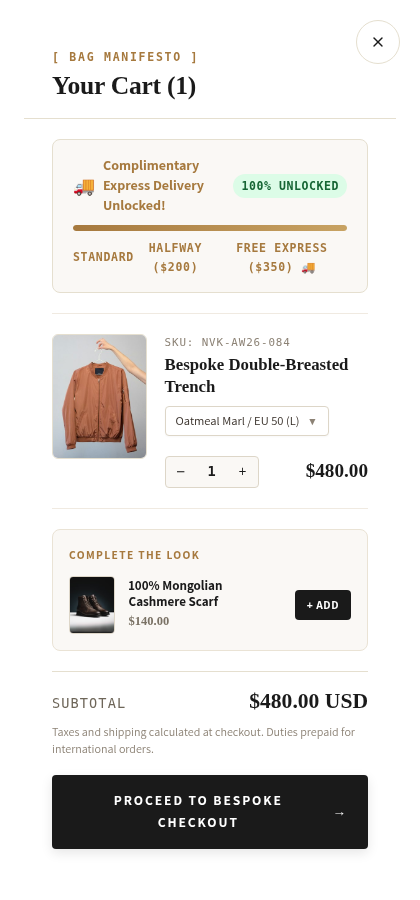
Positioned directly above the Buy Buttons, this smart widget calculates whether adding the currently viewed item will unlock free delivery:
- If current cart + product price ≥ threshold: "✦ Adding this piece unlocks Complimentary Express Shipping!"
- If current cart already qualifies: "✦ This order qualifies for Complimentary Express Shipping"
- If more amount needed: "Add $45.00 more with this piece to unlock Complimentary Shipping"
- Includes an animated milestone progress bar matching store threshold settings.
3. In-Store Boutique Pickup Availability
For fashion houses operating physical retail stores, flagship boutiques, or atelier showrooms:
- Automatically renders local pickup availability based on the customer's nearest location.
- Clicking Check other stores opens a slide-out drawer displaying all boutique addresses, operating hours, phone numbers, and real-time inventory counts.
Setup in Shopify Admin:
- Configure your physical stores under Shopify Admin → Settings → Locations.
- Enable In-store pickup for each location and ensure inventory is assigned.
- In Theme Customizer, ensure the Pickup availability block is active on the Product template.